

PDF TO MUSICXML
PDF to MusicXML, Page by Page into One File for MuseScore
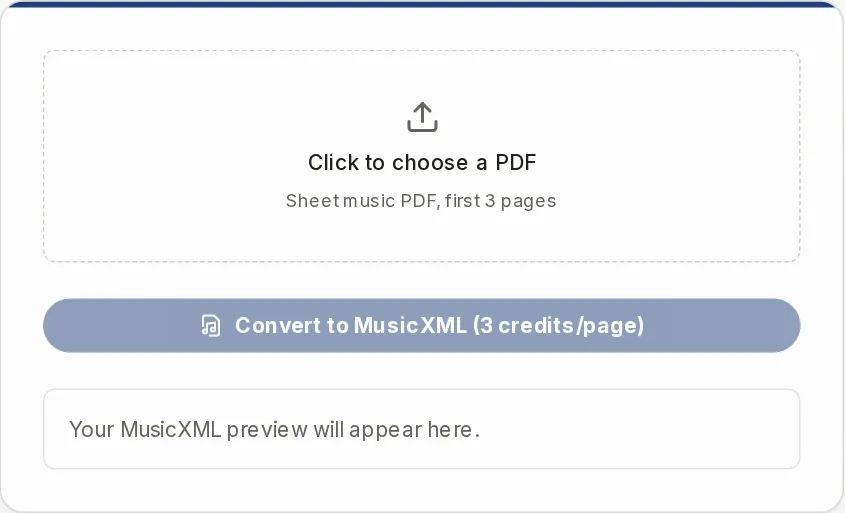
Choose a sheet music PDF and get one MusicXML file you can edit in your notation software. Your browser turns the first pages into images, and our servers read the notes.
- accesssign-in, credits
- uploadpage images only
- pdf sizeup to 20 MB
Your MusicXML preview will appear here.
PDF to MusicXML for MuseScore, Sibelius, Finale and Dorico
This tool reads a sheet music PDF page by page and gives you one MusicXML file. Here is what that solves and where it stops.
MuseScore's PDF import fails for you, or you cannot find it any more.
Convert to MusicXML
Choose the PDF, sign in and press Convert to MusicXML. You download a .musicxml file. We do not make .mscz files, but MuseScore, Sibelius, Finale and Dorico read MusicXML in general. We have not tested each program.
You only have a PDF, but you need MusicXML to rearrange, transpose or extract parts.
MusicXML, MIDI and ABC downloads
The MusicXML is the merged result of all pages read. Open it in your notation software to edit, transpose, extract parts and print. Only the first pages of a PDF are converted.
Your PDF is a scan, or an export from notation software, and other converters take only one kind.
Every page read as an image
Each page becomes a picture and is read optically, so both kinds go through the same way. Clean, sharp, straight pages give the best chance. A poor scan may read badly or be skipped.
Desktop OMR programs take several steps to install and run.
Works in the browser
Nothing to install, on desktop, tablet or phone. Choose the PDF, press Convert, download the file. It needs an account, and pages cost credits.
OMR output has wrong or missing notes, so you proofread everything.
Preview and Play
We make no accuracy promise. Every result needs checking against your original in notation software. Before you download, the preview and the Play button let you hear what was recognized. If a page cannot be read, the page tells you it was skipped.
How to convert a PDF to MusicXML
- 1
Choose your PDF
Click the upload box and pick a sheet music PDF, up to 20 MB. Its name appears in the box. Password-protected or damaged files fail.
- 2
Press Convert to MusicXML
The button shows the price per page. If you are signed out, a sign-in dialog opens. If you lack credits for all pages that will be read, nothing is scanned.
- 3
Wait, with the tab open
Your browser turns the first pages into images. Our servers then recognize the notes one page at a time. The button shows the page it is on. Do not close the tab.
- 4
Check and download
Look at the preview and press Play. Then download the MusicXML and open it in your notation software to fix what needs fixing.
Long scores: only the first pages are read
One run converts the first pages of the PDF, counted from page 1, and ignores the rest. You cannot pick a page range. For a longer score, split the PDF with another tool and convert the parts one by one. Each run gives its own file, and we do not join them. Cover and text pages inside the limit are still scanned and usually skipped.
What you get, and what to expect
MusicXML (.musicxml)
The merged result of the recognition. This is the file to open in MuseScore, Sibelius, Finale or Dorico. We do not produce .mxl.
MIDI (.mid) and ABC (.abc)
Made from the preview, which is simpler than the file. It leaves out key signatures, lyrics, dynamics, slurs, articulations, grace notes and repeats.
Dynamics and ornaments
We promise no lyrics, dynamics or articulations. Expect to re-enter some of them in your notation software.
Piano and several voices
Pages are merged by position. If a later page has fewer staves, that part gets no bars from it. Check multi-staff scores bar by bar.
PDF to MusicXML: common questions
Can I get a MuseScore file (.mscz) from a PDF?
No. We make MusicXML. MuseScore, Sibelius, Finale and Dorico can open MusicXML in general, and from there you edit and save in the format of your program. We have not tested each one.
Is there a PDF to MusicXML converter that is free?
Not without limits. You need an account, and each page read costs credits. The Convert button shows the price per page, and the pricing page has the plans.
Do you give me .mxl?
No. The download is an uncompressed .musicxml file, next to .mid and .abc.
How accurate is it?
We give no accuracy figure. Optical music recognition is never perfect, so compare the result with your PDF in notation software before you rely on it.
Does it work on a scanned PDF?
Yes, and on PDFs exported from notation software too. Every page is read as a picture. We do not read score data embedded in the PDF. Sharp, straight, high-contrast pages read best.
Can I edit the score on this page?
No. You can listen and download. Editing, transposing and part extraction happen in your notation software. For another key you can also use the Music Transposer.
Does my PDF get uploaded?
The PDF file itself is not uploaded. Your browser turns its first pages into images, and those images go to our servers to be read. Use the tool on music you own or have the right to use, for personal practice and study.
Is the merged file saved for me?
No. Download it before you leave the page. Each scanned page is also stored as its own entry in your library.
Other ways to get your music in
Convert your PDF to MusicXML
Choose a PDF, press Convert, and check the result in your notation software.