

MIDI to Sheet Music
MIDI to Sheet Music You Can Read and Print
Choose a .mid or .midi file and get a piano score with a PDF to print. The free converter runs in your browser, with no upload and no signup.
- costfree, no account
- privacyengraved in browser
- downloadsPDF, MusicXML, MIDI
Your sheet music will appear here after you convert.
MIDI to sheet music without the detour
Three problems people hit when they have a MIDI file and want notes on paper.
You have a MIDI file and just want sheet music. You do not want to hunt for a plugin or install a program.
Upload a MIDI file
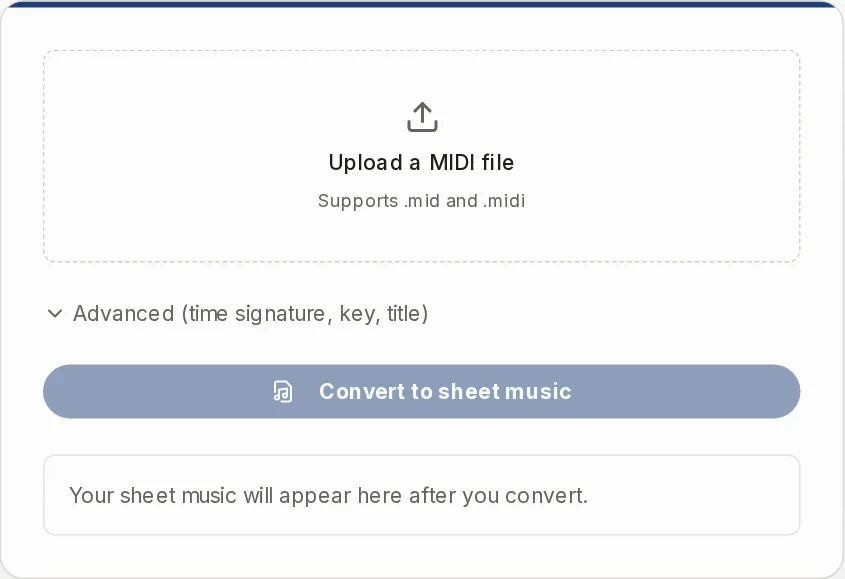
Open the page, choose a .mid or .midi file and press "Convert to sheet music". The file is read in your browser. Nothing is uploaded, and you need no account and no credits. The score appears in a moment.
Importing the MIDI into notation software goes wrong, and the result is not something you can read.
Advanced (time signature, key, title)
Set the time signature and key yourself if Auto guesses wrong, including 6/8. You get a piano grand staff you can read at once, or a MusicXML file to keep working on in MuseScore, Sibelius, Finale or Dorico. The rhythm is simplified to sixteenth notes and the whole piece keeps one meter and one key.
You recorded yourself on a keyboard and the MIDI does not turn into readable notation.
Studio quality
Tick "Studio quality" for played-in MIDI. It needs an account and costs credits, and the button shows the price. It works out where the beats and bar lines fall in your playing. That helps, but it does not promise clean notation, and it still writes sixteenth notes, no triplets.
Why MIDI often looks wrong as sheet music
A MIDI file is not a score. It is a recording of what happened on the keys.
What the file actually stores
MIDI stores which key went down, when, how long it stayed down and how hard it was hit. It does not store written rhythm. There are no quarter notes, no bar lines and no rests in it, only times.
To make a score, software has to guess where each note sits in the bar and what note value it is. If you programmed the part on a grid in a DAW or a notation program, the times line up and the guess is easy. If you played it by hand, the times drift a little. Each drift can turn into a tie, an odd rest or a strange note value.
What each tier does about it
The free converter takes the timing as the file gives it and snaps it to a sixteenth-note grid. That gives clean results for quantized MIDI and messy ones for a performance played without a click. That is the limit of the free tier, not a bug in your file.
Studio quality first estimates where the beats and bar lines really are in the performance, then engraves the notes against that beat grid. It is meant for MIDI recorded live without a click, and for MIDI that came out of an audio transcription. Pitches are exact in both tiers.
How to convert a MIDI file to sheet music
- 1
Choose your file
Click "Upload a MIDI file" and pick a .mid or .midi file. One file at a time. If you are signed in, "Or choose from MIDI" lets you pick one from your library.
- 2
Set the options if you need them
Open "Advanced" to choose the time signature, the key and a score title. Leave them on Auto if you are not sure. The title is printed at the top of the score and the PDF.
- 3
Press Convert to sheet music
The score appears under the button as a grand staff, treble and bass. Press Play to hear it with the sounding notes highlighted, and check it against what you expect.
- 4
Download what you need
PDF is for printing. MusicXML is for editing in a notation program. ABC is text notation. MIDI is the cleaned-up, grid-aligned version, not your original file.
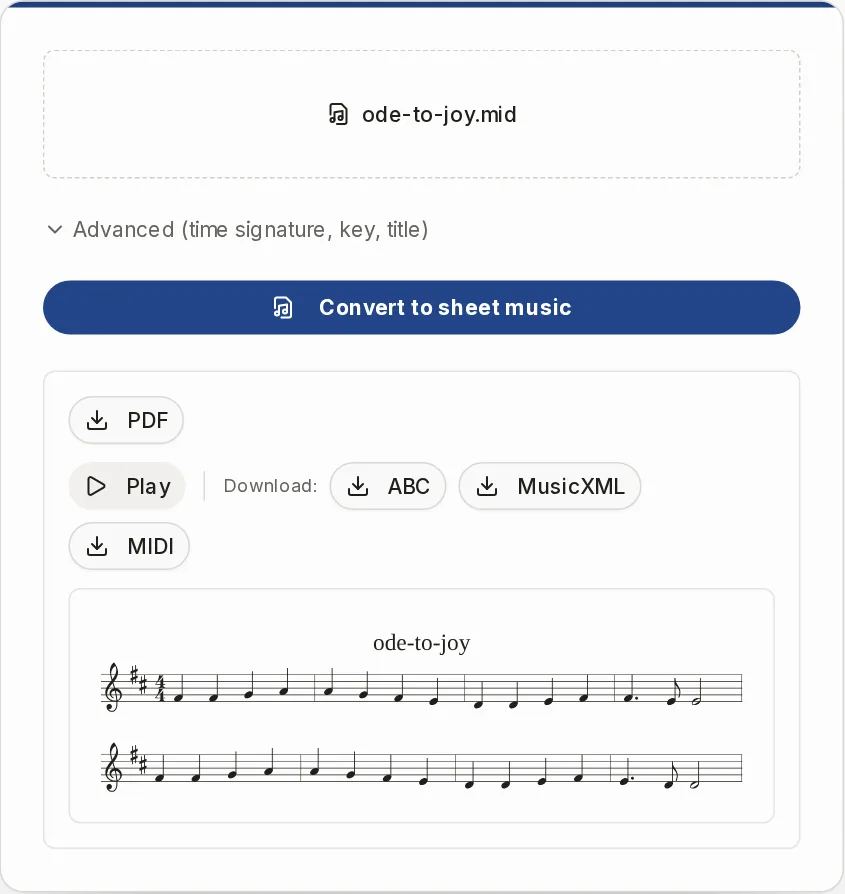
Options, PDF and MusicXML
Time signature offers 2/4, 3/4, 4/4, 3/8, 6/8, 9/8 and 12/8. Key signature runs from no accidentals to four sharps or four flats. Auto reads both from the file and falls back to 4/4 and C major when the file has none.
The PDF is built in your browser: A4, portrait, several pages for a long piece, with your score title at the top. It is made for printing, not for publishing. There are no margin or staff size settings.
The MusicXML opens in MuseScore, Sibelius, Finale, Dorico and other notation programs. Edit there, because this page does not let you move or correct notes.
Free converter or Studio quality
Both write the same kind of score. They differ in how the timing is found.
| Free converter | Studio quality | |
|---|---|---|
| Where it runs | In your browser | On our server |
| Account | Not needed | Sign-in needed |
| Cost | Free, no credits | Costs credits, the button shows the price |
| Best for | MIDI on a grid: DAW or notation exports, step-entered or quantized parts | MIDI played live without a click, and MIDI from an audio transcription |
| Timing | Snapped to a sixteenth-note grid from the file's own timing | Beats and bar lines estimated first, notes engraved against them |
| Your result | Lives on the page and is gone after a reload | Saved in your library, where you can reopen it and download it again |
What the score does not do
One piano grand staff
All tracks are merged into one treble and bass part. There are no separate staves per instrument and no track picker.
No drum notation
A drum track is not written as percussion. Its notes are mixed in as ordinary pitches, so leave drum tracks out of the file.
Simplified rhythm
Everything sits on sixteenth notes. Triplets, swing, grace notes and trills are not written as such. Dynamics, pedal marks and tempo markings are not written either.
One meter and one key
Changes of time signature, key or tempo inside the file are not followed. There is no pickup-bar handling and no repeats.
MIDI to sheet music questions
What is a free software that can convert MIDI to sheet music?
Partiturmaker converts a .mid or .midi file to sheet music in your browser for free. There is no signup and no coded limit on file size or on how many files you convert. Only Studio quality needs an account and credits.
How do I turn a MIDI file into sheet music?
Choose the file, press "Convert to sheet music", then download the PDF or MusicXML. Set the time signature and key under Advanced if the automatic choice is wrong.
Why does my MIDI look messy as notation?
MIDI stores key presses, not written rhythm. A part that was played by hand and not on a grid produces ties and odd rests. Try Studio quality for that kind of file, and read the limits above before you expect a clean score.
Can I get separate parts for each instrument?
No. Every track goes into one piano grand staff. If the tracks are named as right hand and left hand, that split is kept. Otherwise notes from middle C upward go to the treble staff and lower notes to the bass staff.
Can it write drum sheet music?
No. Drum tracks are not written as percussion. There is also no guitar tablature, chord symbols or lyrics.
Is there an AI that can turn music into sheet music?
For a recording, use Audio to Sheet Music, which turns an audio file, link or microphone take into a score. This page only takes MIDI. If you already have MIDI from a transcription, you can convert it here.
Can I scan sheet music and convert it to MIDI?
Not on this page. Sheet Music Scanner reads a photo or scan of a printed page into MusicXML, and Sheet Music Player opens that MusicXML so you can hear it.
Is it safe to use with music I do not own?
Use it on music you own or have the right to use. The free conversion runs in your browser, so the file stays on your device.
When MIDI is not what you have
Other Partiturmaker tools for the steps before and after.
Sheet Music Player
Open your MusicXML or MIDI and hear it with the notes highlighted, at the tempo you choose.
OpenMusic Transposer
Shift the result to another key or an instrument's part, then download the PDF and MIDI.
Open
Convert your MIDI file now
Free in your browser, no account. Studio quality is there if your MIDI was played live.